¶ General information
Your account on auth.lucaciresearch.net is used to access all of our online services. It is tied to your discord user data, so be sure to set a nickname we all understand before accessing systems.
All the services are enrolled in the Dashboard so you do not have to memorize all the URL's. Please bookmark the dashboard address!
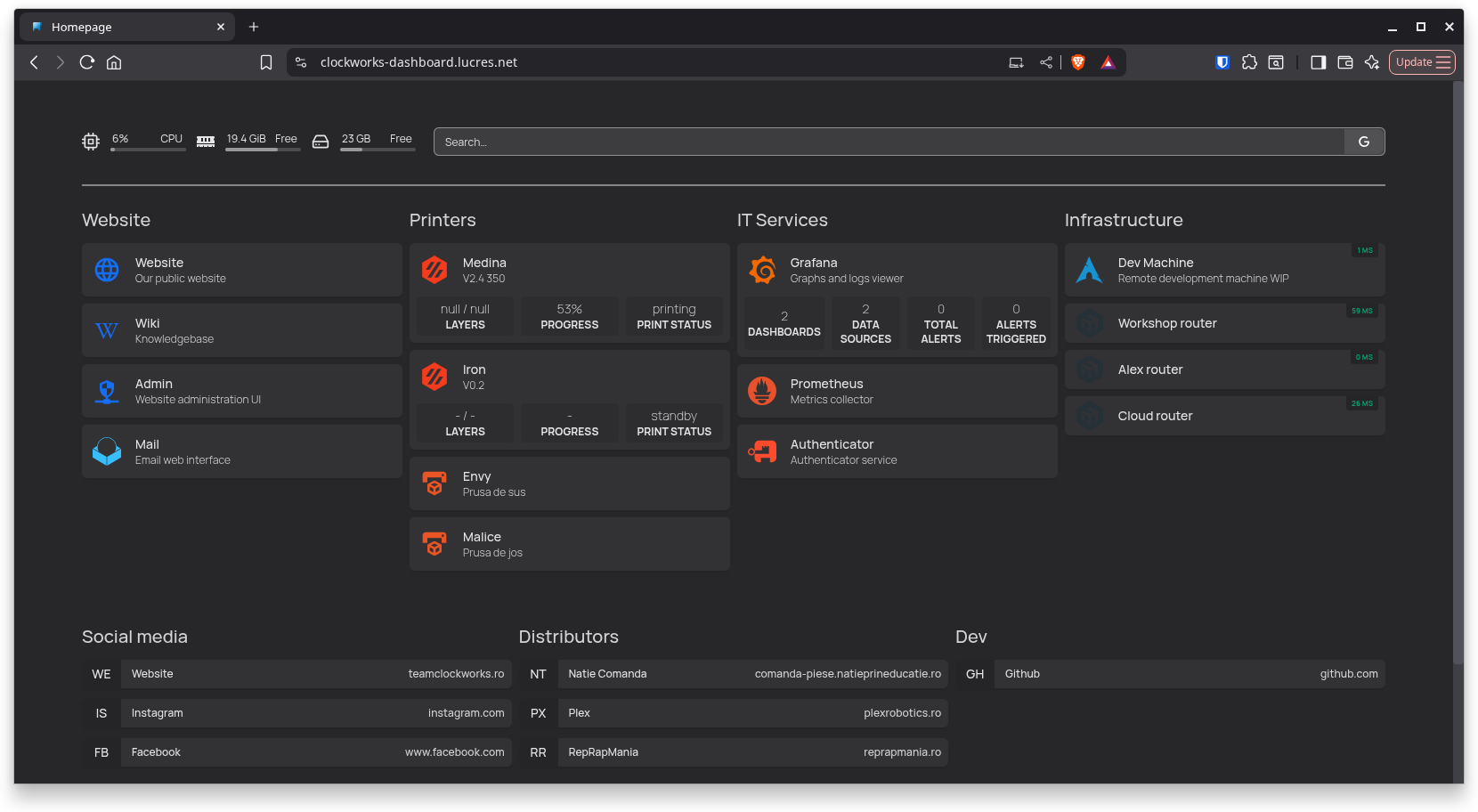
When you access the dashboard, you will be asked to login. Instead of entering an username or email, login using the Discord button as shown below. You need to be present on the Discord server and have the Member role to be able to enter.

When you visit a service from the dashboard, you will be logged in automatically.
There are a few exceptions:
- Wiki: See the login details in the section below
- Email: Ask team leaders for credentials
- Network routers: Ask team leaders for credentials
¶ How to login to the Wiki
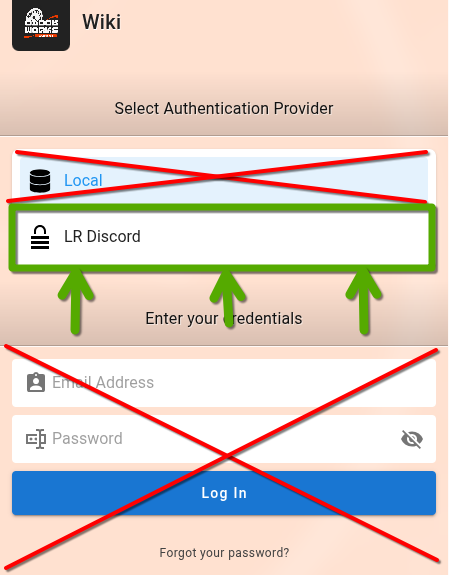
Open the Wiki page in your browser. Head over the login button on the wiki, go to the LR Discord provider (do NOT use the email & password fields, they will not work!).
Once you arrive on the Authentik's page, login as usual using the Discord provider. If you are already logged in, this steo should be automatic.
If you have configured a password and username for your account, like in the next section, you can use that on the LucaciResearch login page instead of Discord.
 |
|
|---|
¶ How do I set a password for my account?
You may want to login with a password instead of Discord connection, to not need to login to discord as a requirement. Follow these steps:
¶ Configure your new password
Head over to auth.lucaciresearch.net and login as usual using your Discord account.
You will see a dashboard where you will be able to control your account.
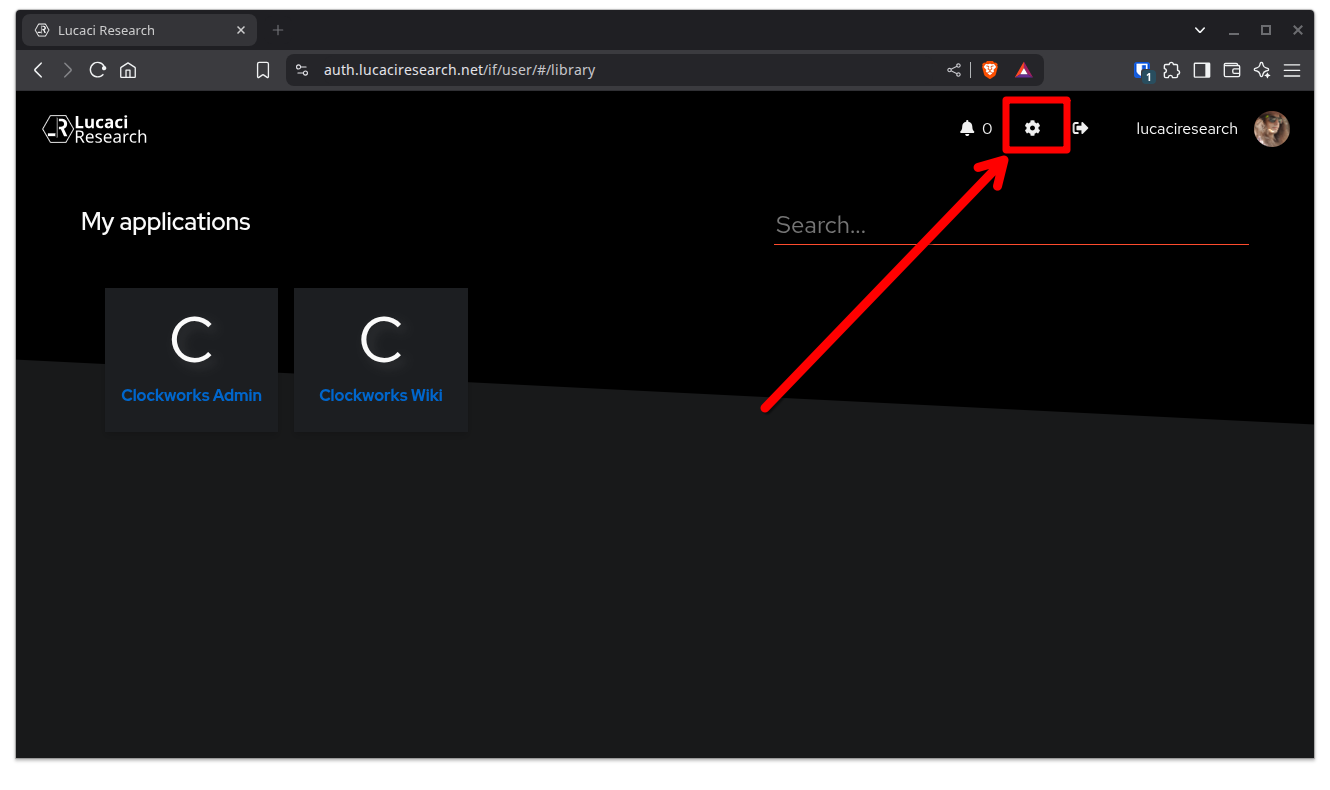
Head over to the Settings area
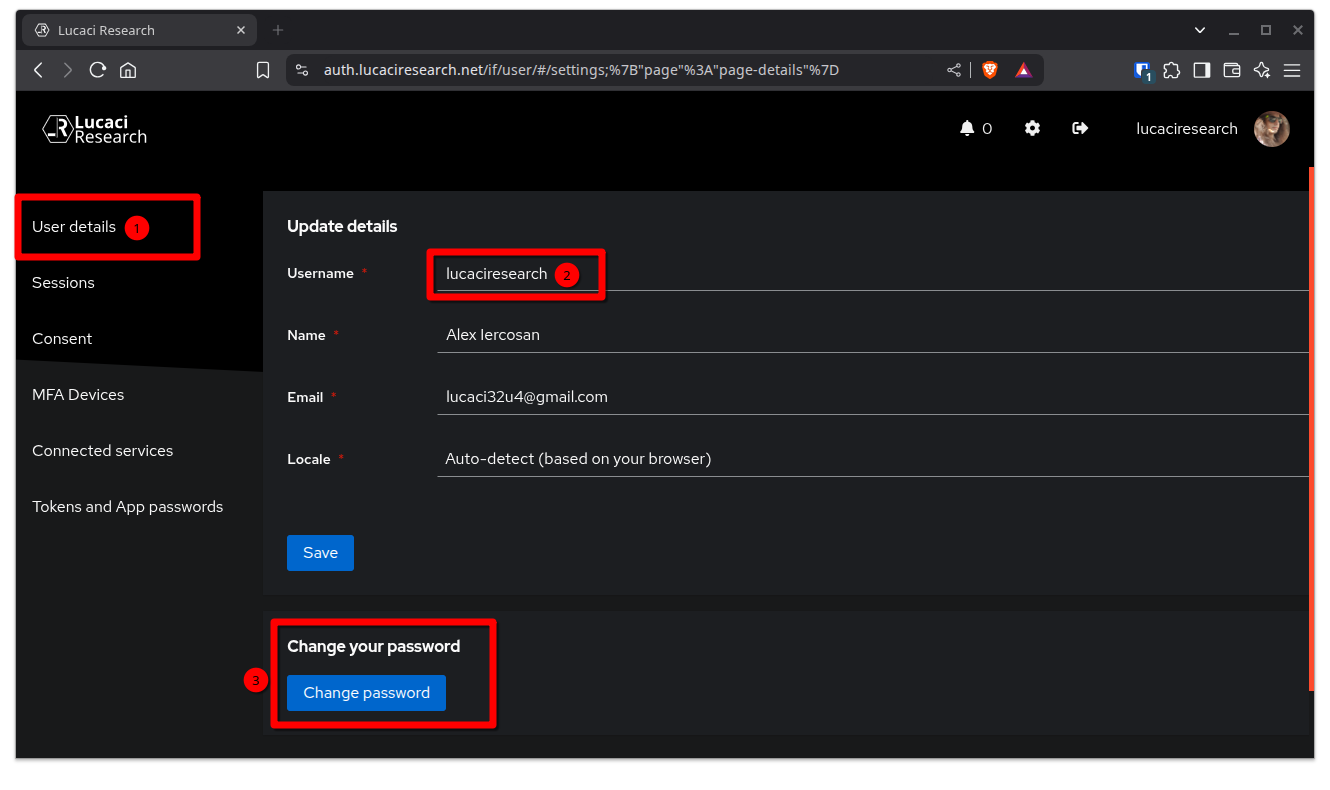
In the User Details section, take note of your Usernamne. This is the username you will login with. You can change it if you want to, but don't forget to click Save
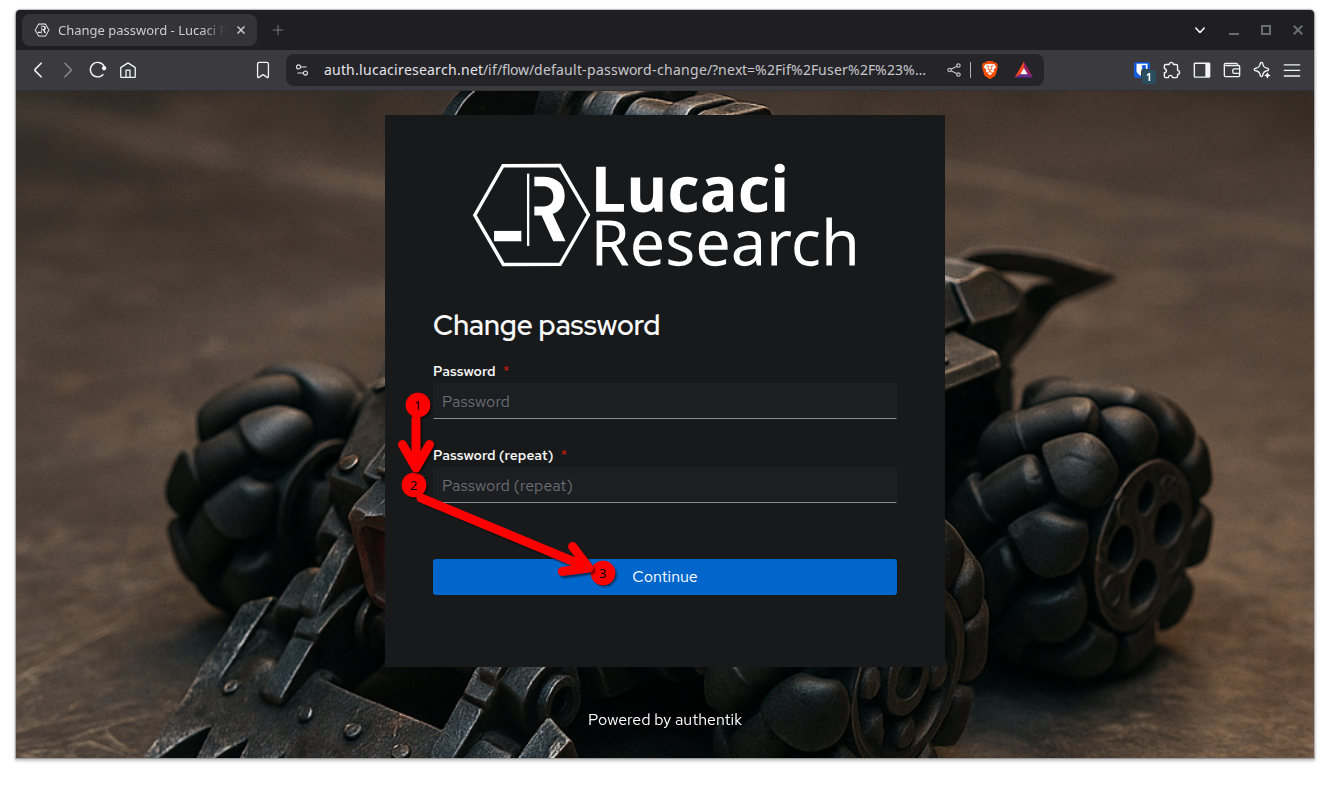
Click on the Change password button.
Enter a new password twice and click Continue
¶ Test your new password
Logout of the authentication server, then try to login. The logout button is in the upper right corner.
¶ Configure Vaultwarden Instance (if you need password manager access)
See this separate document for configuring Bitwarden/Vaultwarden: Guide.